
Tools & step-by-step guides
Plan Your Next Vendor Booth Before Buying More Stuff
Follow Jess’s five-screenshot Booth Recommender walkthrough: choose a setup, event, existing gear, and priority, then turn the suggested display plan into a quote request.
You’ve booked a market. You have a folding table. Now the choices start piling up: table cover, banner, tent, backdrop, new logo files—and a growing list of things you could buy before your first sale.
My Booth Recommender at The Label Lady helps turn those choices into a starting plan. Answer four questions about the setup you’re planning, your event, what you already own, and your main priority. The tool then suggests a coordinated display direction.
Here’s one complete walkthrough. Screenshots were captured as a logged-out visitor on October 27, 2026, without account controls or admin helper widgets.
1. Gather the details of the event
Before opening the tool, note your space dimensions, whether the event is indoors or outdoors, your table size, and the display equipment you already have. Keep a copy of the organizer’s vendor requirements handy.
Think about what visitors need to understand when they walk past: your business name, what you sell, and where to look for products or prices. You don’t need to solve every design choice yet. Start by separating what you own from what you still need.
The recommender helps with display planning. It doesn’t check an event’s tent rules, footprint limits, safety requirements, or permission to use a particular display. Confirm those details with the organizer before ordering equipment.
2. Choose how complete a setup you’re planning
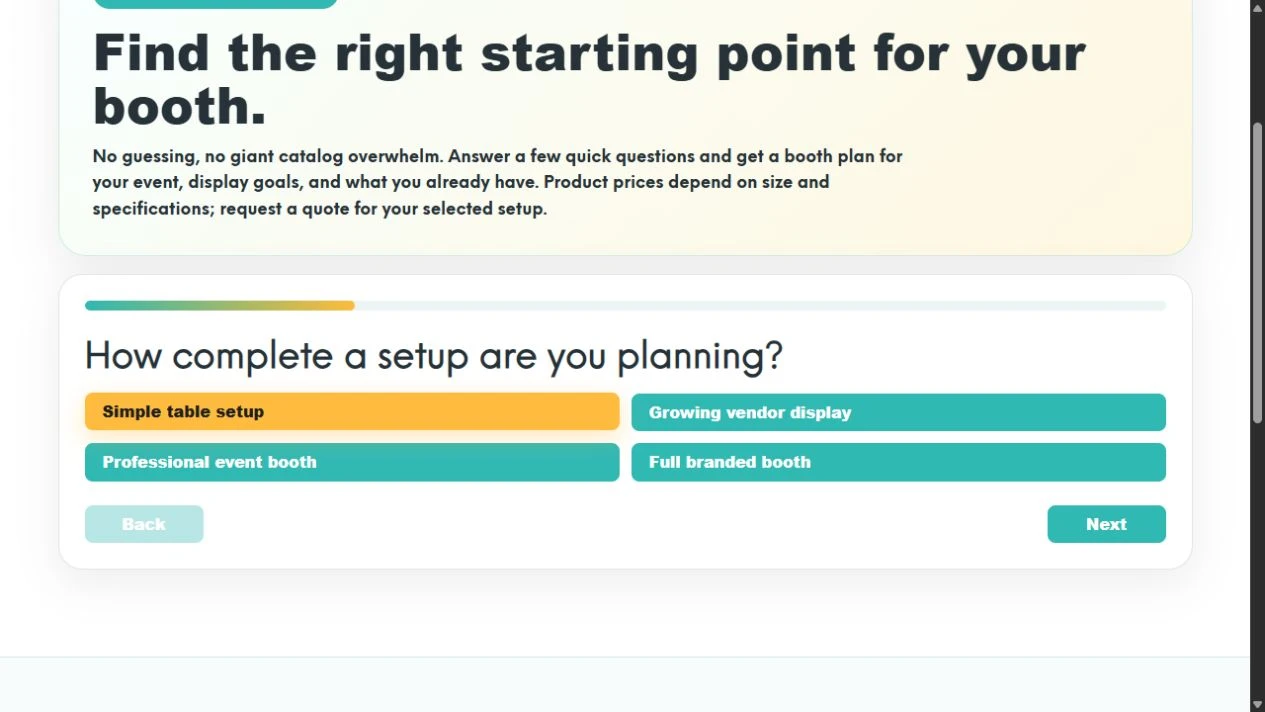
Open the Booth Recommender. Under How complete a setup are you planning?, choose one of the four options:
- Simple table setup
- Growing vendor display
- Professional event booth
- Full branded booth
For our example, select Simple table setup, then choose Next. These choices describe the scope of a setup. They are not dollar budgets or fixed-price packages.
3. Select your event type
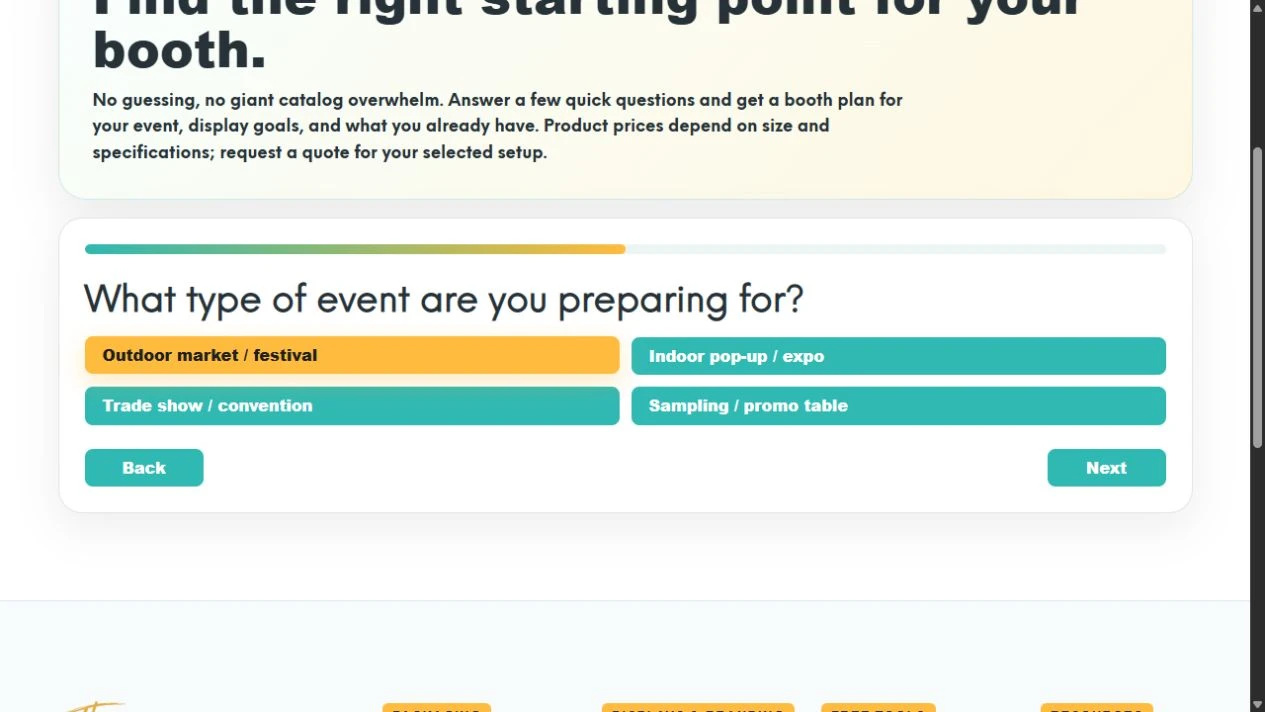
The next question asks What type of event are you preparing for? The options are Outdoor market / festival, Indoor pop-up / expo, Trade show / convention, and Sampling / promo table.
Select Outdoor market / festival to match this walkthrough, then choose Next. For your own plan, use the option that best matches the event you’re actually attending. If you sell in several settings, you can run the tool again for another event.
4. Check what you already have
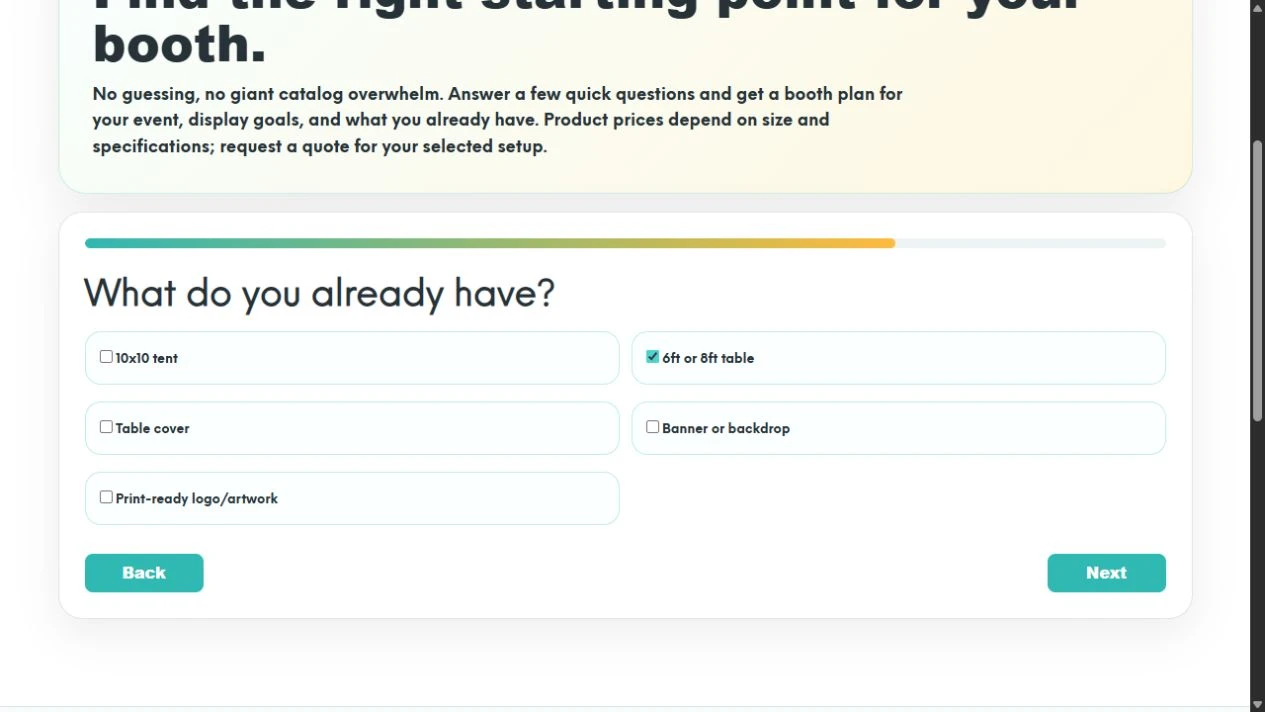
Under What do you already have?, check the items that are available for this event. This screen uses checkboxes, so you can select more than one:
- 10x10 tent
- 6ft or 8ft table
- Table cover
- Banner or backdrop
- Print-ready logo/artwork
For the example, check only 6ft or 8ft table. Leave the other boxes unchecked, including Print-ready logo/artwork, then choose Next.
For your own business, check the equipment you can actually use, not something you’re still considering. If you aren’t sure whether your logo file is suitable for a large printed display, mention that when requesting a quote rather than assuming a small social-media image will be enough.
5. Choose the priority that matters most
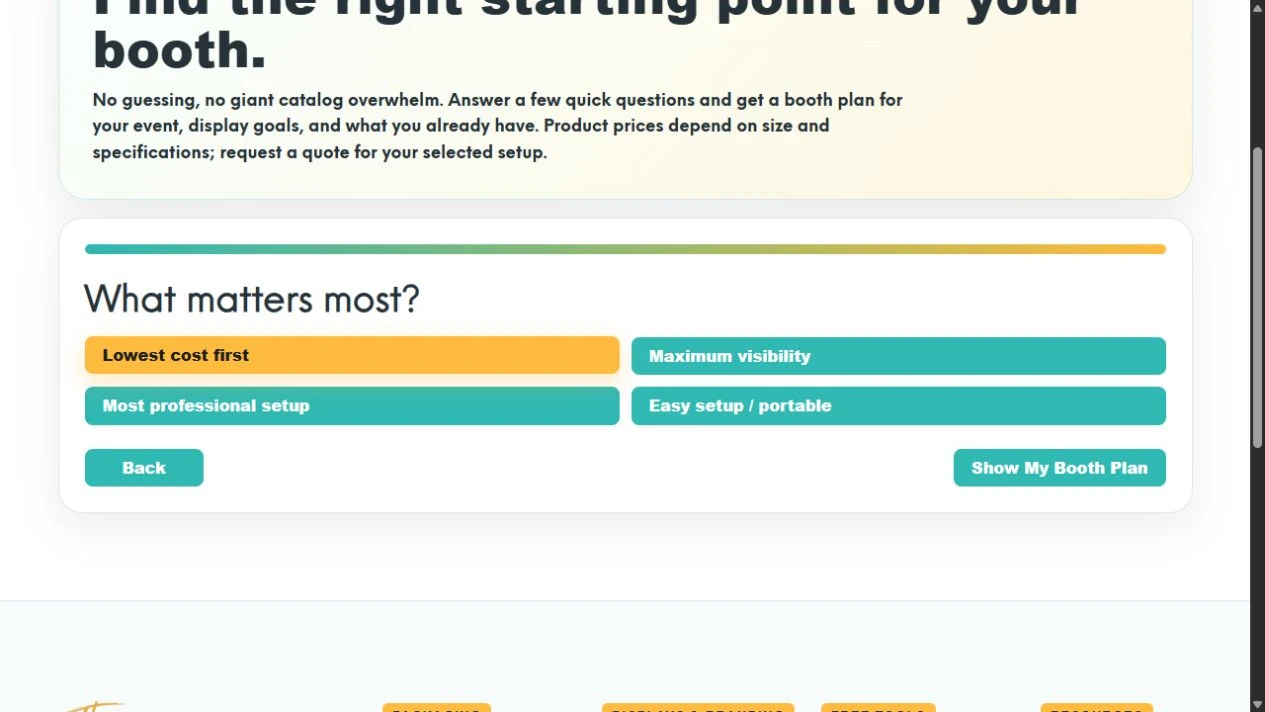
The final question is What matters most? Choose between Lowest cost first, Maximum visibility, Most professional setup, and Easy setup / portable.
Choose Lowest cost first for this example, then select Show My Booth Plan. If you notice an earlier answer needs changing, use Back before generating the plan.
“Lowest cost first” is a planning priority, not a guarantee that a particular combination is the cheapest available. Final prices depend on the sizes, specifications, artwork, and products you choose.
6. Read the recommended setup and optional upgrade separately
With these answers, the tool returns Best Starter Setup and three suggestions:
| Suggested item | How to read it in this example |
|---|---|
| Table Top Banner Header | A display upgrade to consider for the 6ft or 8ft table already owned. |
| Custom Table Cover | A way to carry the business’s branding across the table. |
| Logo Cleanup / Artwork Prep | A preparation step to discuss because we did not mark our artwork as print-ready. |
The result also lists Retractable Banner as an optional next upgrade. Treat that as a separate future option, not an instruction to buy everything in one order.
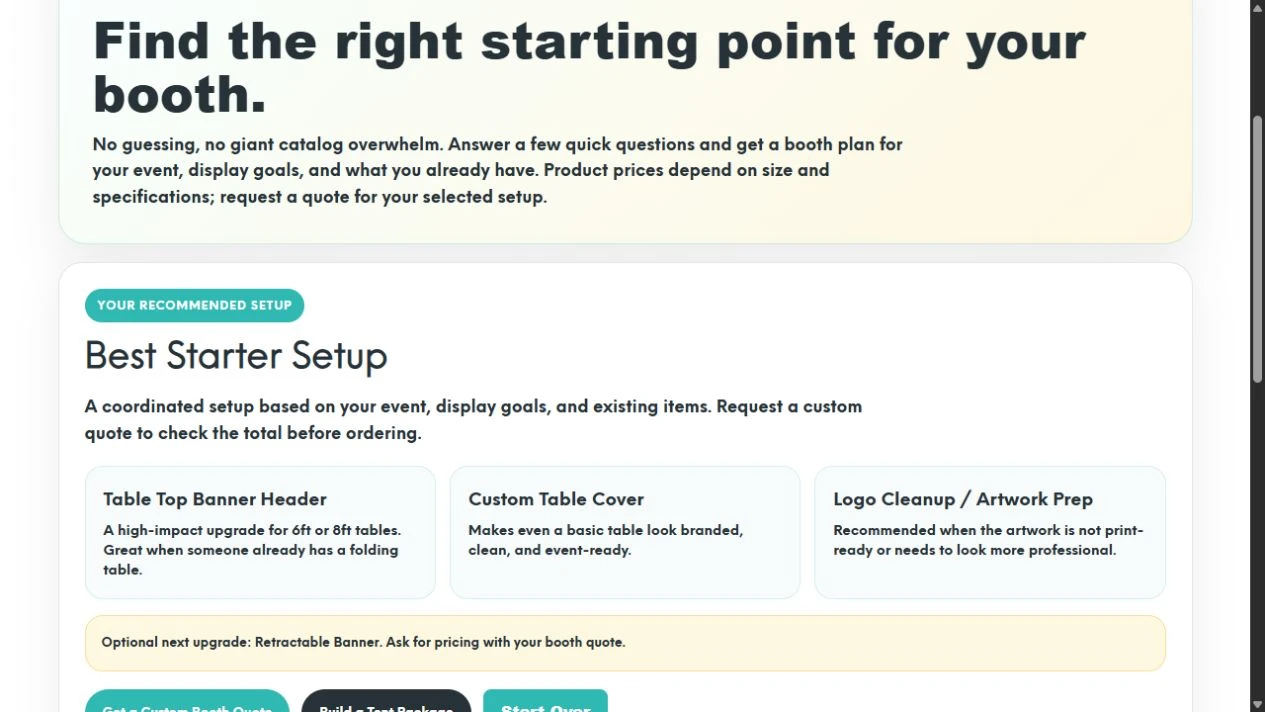
Read the plan against your real space. Think about where each piece would go, whether it works with the equipment you own, and how it will be transported and stored. The result is a starting point to refine, not a complete event layout or an order confirmation.
7. Take the plan into a quote request
Select Get a Custom Booth Quote to open The Label Lady’s quote page. Include your event date, space dimensions, table size, existing equipment, selected priority, and the items from your plan. Add your actual spending limit if you have one; the recommender has not collected a dollar budget.
Ask which pieces to start with and which can wait. Before ordering, review dimensions, materials, artwork requirements, timing, and the quoted total. Don’t assume the generic plan has already confirmed those details.
The result also links to Build a Tent Package if a tent is part of the project you want to explore. You can use Start Over to return to the beginning and compare a different set of answers.
Keep the booth connected to the products on your table
A display plan is easier to work with when the product packaging and booth graphics feel like the same business. Bring your existing logo, colors, packaging photos, and any menu or price-list artwork into the design conversation.
If product pricing is still part of your planning, the Profit Calculator walkthrough helps you work through a batch example. For the labels on the products themselves, follow the label sizing and quote guide.
Plan the next piece before you buy it
Try The Label Lady Booth Recommender, then request a custom booth quote. You can also explore custom table covers or retractable banners when you’re ready to compare specific display options.